 TreeLevel
Overview
Everything TreeLevel does, panel by panel. This page sets out the window, the theories and the documents; the pages that follow take each workspace in turn; the next one carries a process through from end to end. To learn by doing, start with the tutorials instead.
The window
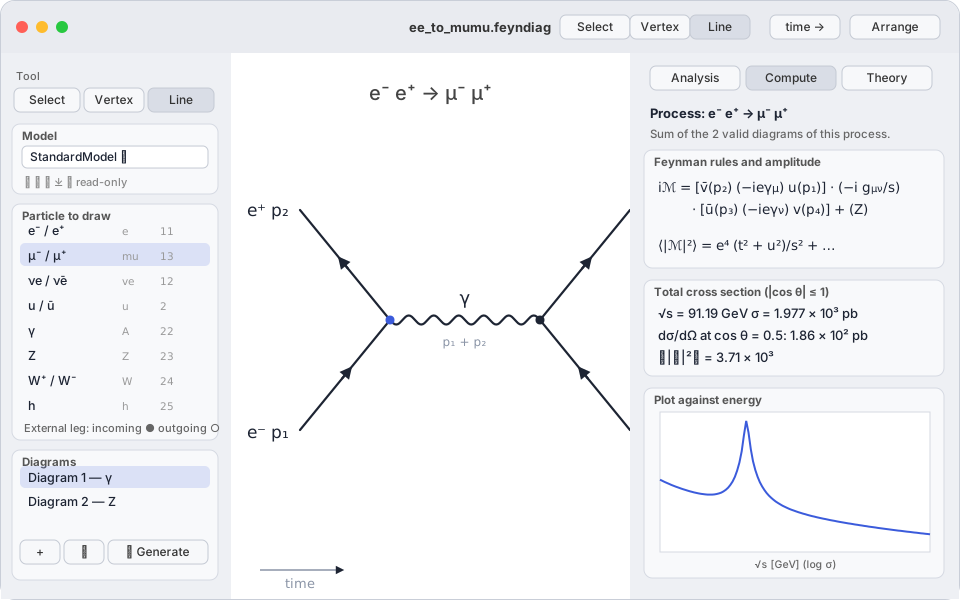
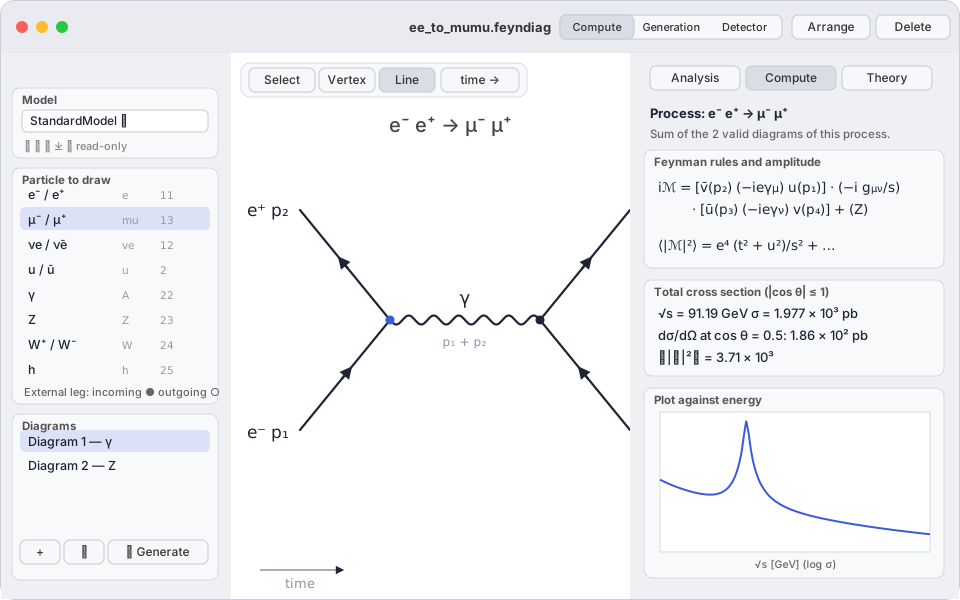
The toolbar selector splits the window into three workspaces — Compute, Generation, Detector — all working on the same document: you compute a process, you draw events from it, you send them through an apparatus. Each has its own page.
A TreeLevel document (.feyndiag) holds one theory and one set of diagrams for a process. The window has three areas:The Compute workspace, where most of the time is spent, has three areas:
- The palette: the tool, the model, the particle to draw, the list of the document's diagrams.
- The palette: the model, the particle to draw, the list of the document's diagrams.
- The canvas: the current diagram. You place vertices, drag lines, and move everything with the mouse.
- The inspector, in three tabs: Analysis (Analyse — is the diagram valid, which rules, which amplitude), Compute (Calcul — , , , , plots) and Theory (Théorie — the model's Lagrangian).
Choosing a theory
The Model (Modèle) box of the palette lists the built-in models, then My models (Mes modèles). Changing the model reloads the particle palette and invalidates the current analyses.
| Built-in model | Content |
|---|---|
StandardModel | The Standard Model in the broken phase, Feynman–'t Hooft gauge: 3 families, complex CKM, Higgs, Goldstones, gluons. 139 vertices. |
QED | Electrons and muons coupled to the photon. Ideal for first computations (Bhabha, Compton, annihilation). |
Phi4 | A real scalar and its coupling: the smallest possible model. |
Hadrons | Effective model of 32 fields, point-like hadrons (momentum transfers , no form factors): nucleons and hyperons , , ; , , , , , , , ; , , , , , ; the three charged leptons and their neutrinos; , , . Couplings: QED, charged and neutral currents of leptons and nucleons, decay constants , , , , (, , ), (), anomaly (, ; ), , , vector mesons (fixed by ), hyperons (S and P amplitudes fitted to and ), semileptonic (, ), (transition moment). (spin 3/2) is absent. |
SU5 | The Standard Model plus the X (charge 4/3) and Y (1/3) gauge bosons of Georgi–Glashow: baryon and lepton number violation ( conserved). |
MajoranaTest | A heavy Majorana neutrino mixing with the electron: the simplest model with non-trivial fermion-flow rules. |
Built-in models are read-only. The buttons under the selector:
- Duplicate (⧉) copies the current model into My models, where it becomes editable in the Theory tab.
- Rename, Delete — for your own models only.
- Import a
.feynfile written by hand (see Theories). - Import a UFO folder (📁): a MadGraph/FeynRules model (SM, MSSM, …) becomes a library model with its vertices ready to use; the Theory tab shows the import notes.
Your models are kept in the application's container and remain available from one document to the next; the document itself embeds a copy of the theory, so it stays computable on another Mac.
Documents and preferences
File › Open an exampleLoad an example offers eighteentwenty-six ready-made documents: Z peak, muon decay, , Bhabha, Compton, , hadrons (, neutron, , , , , resonance, ), Majorana, SU(5), imported MSSM, and six documents that put each generator to work, the collider mode among themthe Machine source among them. They are read-only: at the first edit, macOS offers to save a copy: save a copy with File › Save as… before touching one; on the iPad, they load from the Load an example button in the toolbar, which copies their content into the open document. On the iPad the list shows only twenty of them: examples 21 and 26, the Pythia ones, join once its module is installed; those of Herwig, Sherpa, WHIZARD and CalcHEP (22 to 25) stay on the Mac and the PC.
A .feyndiag document is created, opened and saved like any document of the system (⌘N, ⌘O, ⌘S)(Ctrl N, Ctrl O, Ctrl S)(from the app's document browser; saving is automatic); it holds the theory and the diagrams. The preferences (TreeLevel › Settings…File › Settings…the gear in the toolbar) set:
- Text size — applies to the panels, the canvas labels and the formulas.
- Appearance (Apparence) — System, Day or Night; the day/night button of the toolbar (sun / moon) cycles through these three states, its menu lets you pick directly.
- At launch — reopen the last document, ask, or open a new document.